Merge duplicate member records
As a Membership Staff member, I want to consolidate two member records that represent the same person into one, so that the member's history lives in a single record instead of being split across duplicates.
Screen: Utilities > Merge Duplicate Members
This is one of only two screens — the other being Create Ultra X Upload — that Membership Staff sees inside Utilities, alongside Super User. Accounting, Contract, H&W Staff, and ETF Staff only get "Import" in their copy of Utilities; Business Agent and Management don't have the Utilities module at all.
Key fields / columns: two independent search panels — Member To Keep and Member To Merge/Remove — each with its own SSN, Name, Clock#, Reg#, Member Id filters and its own Search/Clear. Each panel's result grid shows Member, SSN, Registration, Member ID, Clock Number, Status, Type, Employer, Local Name.
Actions available: Search / Clear (one pair per panel), then a single Merge button at the bottom, disabled until both panels have a selected record.
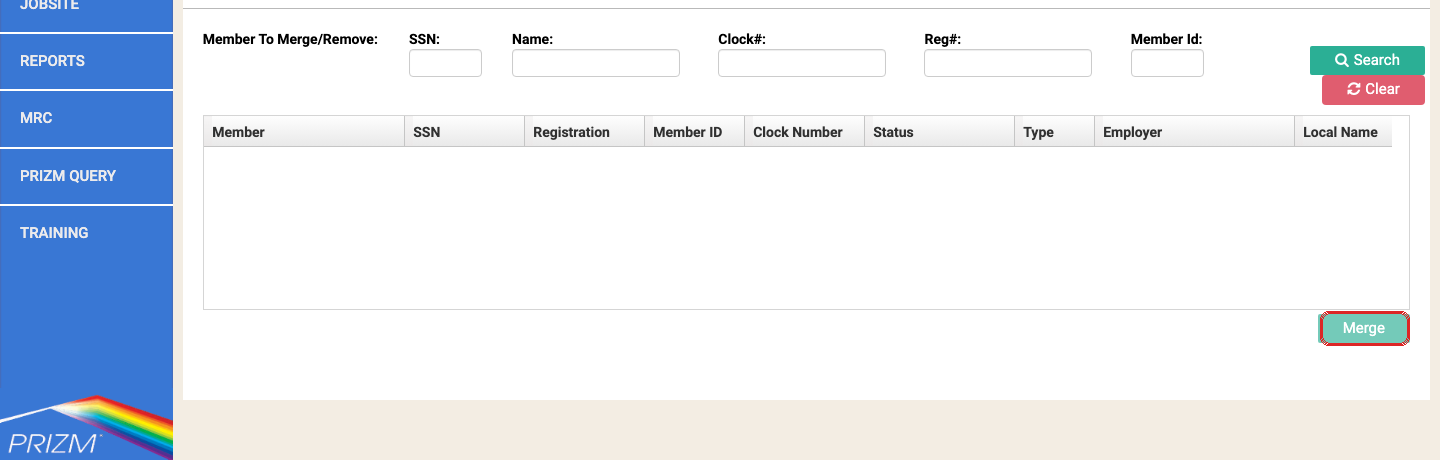
No documented click-by-click walkthrough exists yet for this screen
The crawl that produced this reference captured the screen's layout and fields but never ran an actual merge — both search panels were empty in that pass, and executing Merge against shared UAT fixture data is explicitly avoided because the action is irreversible. That means there's no confirmed step-by-step sequence to give you beyond what's below — this is a real documentation gap, not something being glossed over. If you're the first to walk through a real merge, that's worth writing up as a proper repro for this chapter.
What is confirmed
- Both sides require a search result to be selected before Merge becomes active — nothing is marked required with a red label, but functionally both selections are prerequisites.
- Merging is understood to be irreversible in practice (it folds one member record into the other) — treat it the same way the crawl treats it: a destructive utility action, not a reversible edit.
Things to watch out for
Merge eligibility is gated on Status, not Member Type
The record being merged away must be on one of the documented Inactive statuses — Unknown, Old Training Record, Deceased, Expelled, Withdrawal Card Granted, Transfer In, Suspended, Transfer Out. Several statuses that look inactive in plain English (e.g. "Non Member (training only)") are deliberately coded Active so training/book payments can keep posting. Member Type is irrelevant to whether Merge will allow it. See Add or void a member status or type record for how to confirm or change a member's Status before attempting a merge. (IUOE-2493)
A merge today doesn't carry over all history
Even once a merge succeeds, training history and prior payment history have not been confirmed to carry over correctly — internally described as "not a merge, this is a wipeout" during testing. A fix for the gating logic landed in r2.19; the history-carryover gap was split into a separate follow-up and isn't confirmed resolved. Don't assume a successful merge preserved everything on the removed record — check both the training and payment history on the surviving record afterward. (IUOE-2493)
Training/class records and Status Type History carryover was confirmed fixed in 2.21
The history-carryover gap split off from IUOE-2493 above was tracked separately and confirmed fixed on retest in PRIZM 2.21 — merging now correctly carries over training/class records and Status Type History, not just the member profile fields. The trainee-to-member path is the highest-stakes case to double-check, since that's where training records most often need to survive a merge. A related request to improve the merge dialog's own wording (so it's clearer what Merge is about to do) was still open as of its last update. (IUOE-2541)
Never practice this against the shared fixture data
If you need to test or demo this screen, use two disposable test members created specifically for that purpose — never the shared reference fixtures used elsewhere (e.g. "Aanrud, Austin W"), since a real merge can't be undone.