Post a payment and complete the deposit
As a member of Accounting Functions, I want to apply a payment to a finalized invoice and tie it to a bank deposit, so that the money shows up correctly on deposit-keyed reports and the member's ledger.
Screens: Accounting > Bank Deposits, then Accounting > Process Remittances
Prerequisite: the invoice must already be Finalized — see Build and finalize an invoice.
This is a different screen from Process a walk-in or mail-in payment
This page is for money that applies against an already-Finalized invoice, via Process Remittances. If a member hands you a payment with no invoice in the picture at all, use Process a walk-in or mail-in payment (Accounting > Payments > Add New Payments) instead.
Steps
1. Create the deposit shell
- Accounting > Bank Deposits > Add New Deposit.
- Pick a Bank Account (options depend on the active Fund — e.g. H&W only offers "General HRA" in UAT). This isn't a literal external bank account — it's a named bucket (Bank Account Name + Fund + GL Code) IUOE uses to group transactions for its own reconciliation; see Maintain the Member/Employer/Local reference tables for where these get defined.
- Leave Deposit Date blank for now — the form's own instruction says to leave it blank until the deposit is complete, and that's load-bearing (see below).
- In the Bank Receipt Details grid, set Type (Employer or Member), then From, Check#, Payment Date, Amount.
-
Click Submit — you get a real Deposit # (e.g.
#19837).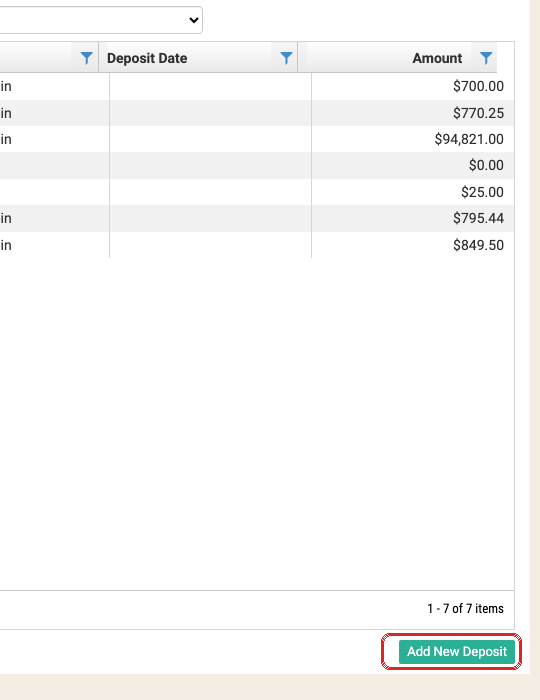
2. Post the payment against the invoice
- Accounting > Process Remittances. Set Contractor/Employer, Period, Invoice Type exactly as when the invoice was built, click Load Invoice. Only Finalized invoices appear here.
- Double-click the invoice row to load it.
- Pick the deposit you just created from Bank Deposit.
- Fill Check#, Payment Amount, Payment Date.
- Click Add Bank Deposit — this adds a new receipt line to the deposit (doesn't consume an existing balance, so calling it twice leaves two receipt lines).
- In the "Choose Payments" grid, check the checkbox next to the specific payment row to apply — unchecked rows are listed but not applied.
- Click Post and confirm. This is a real point-of-no-return, same as Finalize.
3. Complete the deposit
Go back to Bank Deposits, reopen the deposit (double-click its row), set a real Deposit Date, and Submit again.
An incomplete deposit hides the money it already has
Until you set the Deposit Date and resubmit, payments posted into a deposit are invisible on deposit-keyed reports (Journal Entry by GL Code, Bank Deposit report) even though the posting itself fully succeeded. If a posted payment "isn't showing up anywhere," check whether its deposit was ever completed before assuming the posting failed.
Things to watch out for
A deposit's open/closed flag isn't one-way
A closed deposit can legitimately reopen if a posted checkoff inside it is later deleted — the now-unposted check can be re-edited. If a deposit looks "stuck" open with no recent deletions, suspect a concurrent-edit race on the related invoice (two users editing the same invoice at once) rather than a lifecycle bug. (IUOE-2759) Since this fix shipped (Common 11.1.6), Process Remittance can no longer add a new check to an already-closed deposit — you'll see a warning instead.
A Phone/FluidPay payment routes by transaction type, not by fund alone
Dues/Misc/Merch transactions auto-open (or reuse) the Union-FluidPay deposit; FedPac/PEF transactions route to FedPac-FluidPay. Bucket payments with an Initiation component have no defined routing rule today — that's a known gap pending a Change Order, not a bug to troubleshoot. (IUOE-2741)
\"Missing\" money is almost always unposted, not lost
A check can sit inside a deposit shown on the Bank Deposit report / QB Extract without yet appearing on the member ledger or Journal Entry report — because it hasn't been posted yet (via "Add New Walkin"). Check posting status before escalating a "missing payment" report. (IUOE-2669)